How to Use an Income Shares Model Calculator With Two Incomes
Use an income shares model calculator with two incomes. Learn which figures to enter, follow an example and check your state's worksheet.
Child Support Estimate ·
An income shares model calculator works best when you enter both parents’ incomes on the same monthly basis, then add the correct parenting schedule and eligible child-related costs. The key is to follow your state’s income definition rather than automatically using each parent’s take-home pay.
With two incomes, the calculation generally starts by combining the parents’ guideline incomes and finding each parent’s percentage of that total. The state’s formula then determines the support obligation, with adjustments for parenting time, qualifying expenses and applicable credits. Here’s how to prepare your numbers, understand the result and check it against an official worksheet.
Start with the right state and worksheet
First, confirm that the relevant state actually uses the income shares model. States use different child support calculation models, so a formula designed for one state may not fit another.
If an existing order involves parents living in different states, do not assume that moving automatically changes which state’s rules apply. Confirm the applicable jurisdiction before relying on an estimate.
Next, check the calculator’s instructions and guideline effective date. A page labeled “2026” should still be compared with the state’s current official materials. Also check whether your situation requires a primary-custody, shared-parenting or split-custody worksheet. Those categories can produce different calculations even when both incomes stay the same.
Prepare your records for an income shares model calculator
Gather information for both parents over comparable periods. One parent’s recent paycheck and the other parent’s older tax return may describe very different financial circumstances.
Useful records include:
- Recent pay stubs showing gross pay, deductions and year-to-date earnings.
- Tax returns and supporting records for bonuses, commissions or self-employment income.
- A parenting calendar showing overnight stays or other time measures required by the state.
- Bills documenting qualifying childcare and the children’s share of health insurance premiums.
- Existing support orders and proof of payments, if relevant to permitted adjustments.
Label each figure by parent, period and source. If you must estimate the other parent’s income, mark it as uncertain rather than presenting it as verified.
Put both incomes on the same monthly basis
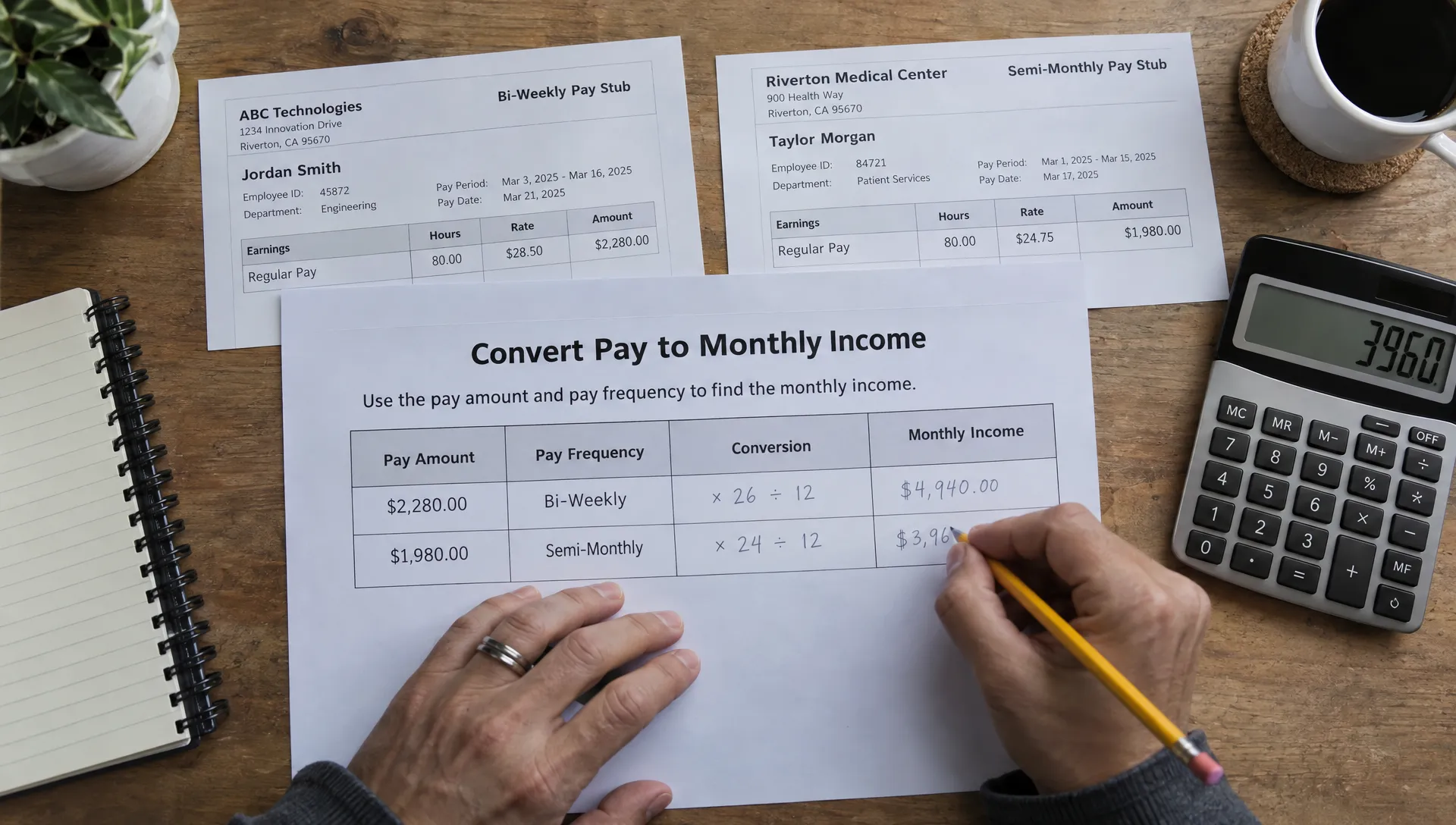
Pay frequency is a common source of avoidable errors. A biweekly paycheck arrives every two weeks, usually 26 times a year. A semimonthly paycheck arrives twice a month, or 24 times a year.
For a monthly calculator, the usual conversions are:
| Pay frequency | Monthly conversion |
|---|---|
| Weekly | Pay amount × 52 ÷ 12 |
| Biweekly | Pay amount × 26 ÷ 12 |
| Semimonthly | Pay amount × 2 |
| Annual | Annual income ÷ 12 |
For example, $2,000 in biweekly gross wages converts to about $4,333.33 per month, not $4,000.
Before entering those figures in an income shares model calculator, check whether each field requests gross income, net income or specific deductions. Some tools ask for gross earnings and calculate allowed adjustments themselves. Entering take-home pay in a gross-income field can understate income.
Do not subtract rent, groceries, credit card payments or other household bills unless the applicable guidelines expressly allow the adjustment. Taxes and support paid for other children also need to follow the state’s rules rather than your own budgeting method.
Handle irregular income without choosing a convenient month
For commissions, overtime or seasonal work, a single unusually high or low month may distort the estimate. Review a representative period and follow any averaging method required by the state. Keep recurring earnings separate from genuinely one-time payments so you can explain the difference.
Self-employment needs another check: business revenue is not the same as personal income. Review business receipts and allowable expenses under the child support rules. A deduction accepted on a tax return is not automatically an allowable deduction for support purposes.
Our guide to using a support calculator when income varies explains these situations in more detail.
If income is difficult to document, calculate a clearly labeled range using supportable assumptions. A zero-income entry is not necessarily a prediction of the court’s treatment, because state rules may permit income to be imputed in certain circumstances.
Enter the children, parenting schedule and eligible costs
Use the number of children covered by the calculation, not automatically every child in either household. Other children or existing support obligations may be addressed through separate adjustments.
For parenting time, follow the field’s definition. If it asks for annual overnights, count overnights across the full year, including holidays and school breaks. Do not substitute an informal label such as “joint custody” for the actual schedule.
An income shares model calculator may change its result when parenting time crosses a state-defined threshold. That does not mean every additional overnight creates the same reduction, or that equal parenting time always eliminates support.
For expenses, distinguish the eligible amount from the person who pays it. Relevant entries may include work-related childcare, the children’s portion of health insurance premiums and other costs recognized by the guidelines.
If a family insurance policy covers adults and children, do not automatically enter the entire premium as the children’s cost. Use the allocation method required by the state and keep the employer’s coverage breakdown if available.
Avoid double-counting direct payments. A premium entered as an expense may also require identifying which parent pays it. Adding the cost without entering the corresponding payment information can distort the estimated transfer.
Work through a two-income example
Consider a hypothetical case involving one child who lives primarily with Parent B. Assume no shared-parenting adjustment or other special adjustment applies.
The figures below illustrate the arithmetic only. The $1,200 basic obligation is an assumed amount, not a figure taken from any state’s support schedule.
| Item | Parent A | Parent B | Combined amount |
|---|---|---|---|
| Monthly guideline income | $5,000 | $3,000 | $8,000 |
| Share of combined income | 62.5% | 37.5% | 100% |
| Assumed basic support obligation | $1,200 | ||
| Eligible monthly childcare | $400 | ||
| Eligible child health insurance premium | $200 | ||
| Total obligation before other adjustments | $1,800 |
Parent A’s income percentage is $5,000 ÷ $8,000, or 62.5%. Parent B’s percentage is 37.5%.
Under this simplified allocation, Parent A’s share is $1,800 × 62.5%, or $1,125. Parent B’s share is $675.
An income shares model calculator then needs to account for how the obligation is met. If Parent B pays both add-on expenses and provides the child’s primary household support, the simplified transfer from Parent A would be $1,125 before any other applicable adjustment.
Check direct-payment credits before accepting the result
Now suppose Parent A pays the $200 insurance premium directly instead of Parent B. If the worksheet allows a dollar-for-dollar credit for that eligible payment, the simplified cash transfer becomes $925: the $1,125 allocated share minus the $200 direct payment.
Parent A’s total contribution remains $1,125, split between insurance and cash support. This illustrates why an allocated support share and the amount transferred between parents are not always identical. Actual state worksheets may handle expenses and credits differently.

Test changes one at a time
Save your first set of inputs as a baseline. Then change only one item per calculation so you can identify what caused the result to move.
In the hypothetical example, an additional $100 of eligible childcare would increase Parent A’s allocated share by $62.50 if the income percentages and all other assumptions stayed unchanged. That is an illustration of proportional allocation, not a rule that every state applies identically.
An income change requires more than updating the percentage. If Parent A’s monthly guideline income rises to $6,000 while Parent B’s remains $3,000, Parent A’s share becomes about 66.67%. But combined income also rises to $9,000, which may change the basic obligation under the state’s schedule. Recalculate the full worksheet.
For parenting-time changes, enter the proposed schedule rather than subtracting a guessed discount. Thresholds, expense allocations and shared-parenting formulas can make the effect nonlinear.
Use an income shares model calculator to compare a documented baseline with realistic alternatives, not to search for inputs that produce a preferred payment. Keep a short note explaining each scenario and identify any figures that still need verification.
Compare the estimate with the official state worksheet
Before using an estimate in negotiations or budgeting, locate the official guidelines through the state judiciary or child support agency website. For example, the North Carolina Judicial Branch’s child support guidance provides a starting point for that state’s guidelines and worksheets.
Check the worksheet’s effective date, custody category and instructions. Then compare the official calculation with the calculator in stages: each parent’s counted income, combined income, income percentages, basic obligation, eligible expenses and final credits.
If the results differ, identify the first line where they diverge. A discrepancy may come from a gross-versus-net income rule, an expense counted twice, a parenting-time threshold or a calculator’s simplified treatment of a special circumstance. Do not assume the final difference is merely rounding.
An income shares model calculator provides a planning estimate, not a court order. Courts may address disputed income, minimum-support protections, unusually high incomes or permitted deviations in ways a simplified tool does not capture. If you already have an order, a new estimate does not change the amount owed; follow the applicable modification process.
Frequently asked questions
Do both parents’ incomes count if only one parent pays support? Generally, yes under an income shares approach. Both incomes help determine the combined obligation and each parent’s proportional share. Parenting arrangements, direct payments and state-specific adjustments help determine the eventual transfer.
Does equal parenting time mean neither parent pays? Not necessarily. An income difference or unequal payment of eligible expenses may still lead to a support transfer. The applicable shared-parenting formula determines the result.
Can I use an income shares model calculator if I do not know the other parent’s exact income? You can explore a range using reasonable, clearly labeled assumptions. Treat the result as provisional. A formal case may require financial disclosures and supporting documents rather than estimates.
Should I include my new spouse’s income? Do not add it automatically to a field asking for a parent’s income. Follow the state’s instructions, because remarriage and household resources may receive different treatment depending on the issue and jurisdiction.
Will the judge order exactly what the calculator shows? Not necessarily. The result depends on accurate inputs, the current guidelines and any adjustments or deviations the court applies. Verify the official worksheet before treating an estimate as a likely payment.
Build your estimate with both incomes ready
Once you have comparable income records, a parenting calendar and documented expenses, use Child Support Estimate’s free state calculators to generate an instant planning estimate. Enter the information each field requests, record uncertain assumptions and compare the result with the applicable official worksheet.
The calculators use simplified state guidelines. Their results are estimates, not legal advice or a substitute for a court’s determination.